The WaterMind Platform
Your Entire Water Operation. One Connected Platform.
WaterMind gives water professionals real-time visibility and control across connected pumps, wells, tanks, booster stations, irrigation systems and more — all from one centralized platform.
Monitor. Respond. Protect.
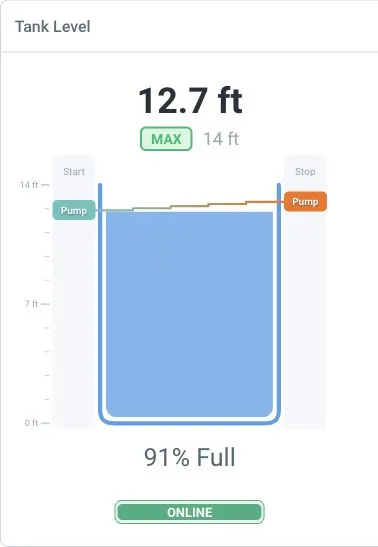
Tank level, threshold markers and online status from WaterMind.
View full screenshot : See the level. Know the status. (opens in a new tab)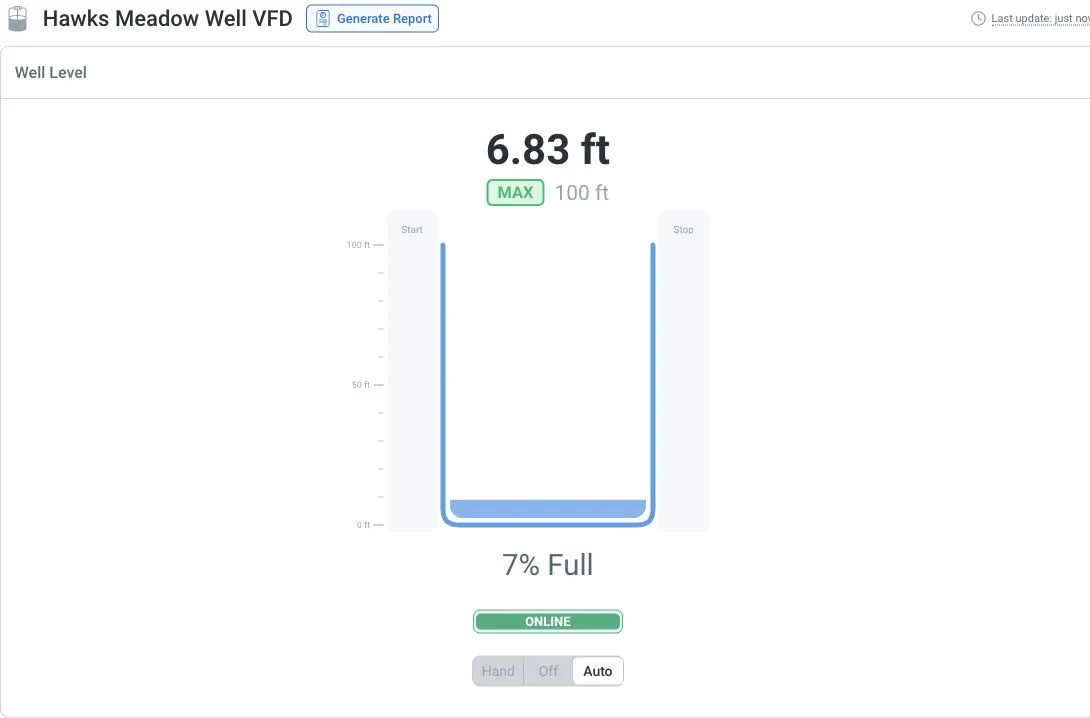
A recognizable view of well level and operating status.
View full screenshot : Well level (opens in a new tab)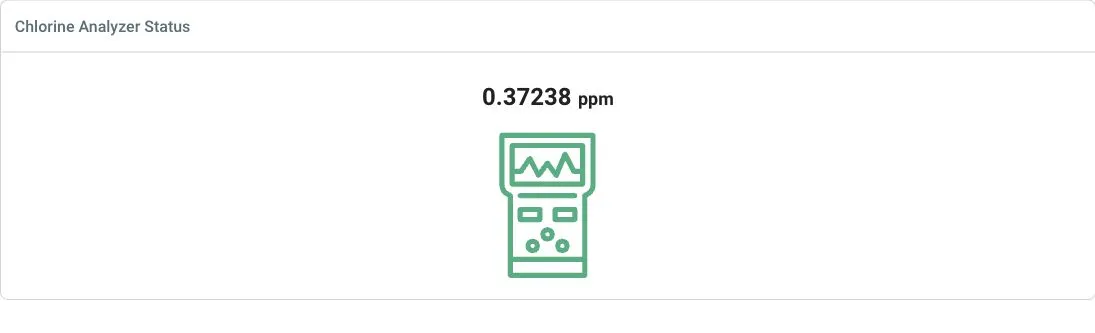
An instrument reading shown in its operational context.
View full screenshot : Water quality (opens in a new tab)Actual app captures · Values shown at capture time
The WaterMind operational journey
Monitor. Respond. Protect.
From field equipment to actionable information.
- 01
Provision
Turn connected equipment into recognizable operational dashboards.
- 02
Monitor
See operating conditions across connected systems.
- 03
Alert
Know when something needs your attention.
- 04
Investigate
Review the conditions surrounding an alert or operational event.
- 05
Respond
Change settings and use supported device controls.
Platform overview
Know What’s Happening. Wherever It’s Happening.
Water infrastructure can be spread across miles — and knowing what’s happening shouldn’t require driving to every site.
WaterMind brings connected infrastructure into a single cloud-based platform, giving your team visibility into system conditions from virtually anywhere. From a system-wide map to the operating data of an individual pump, WaterMind helps your team move from overview to insight to action.
Monitor
See equipment status and operating conditions across connected sites.
Respond
Receive alerts, investigate conditions and use supported controls to change settings or operate devices.
Protect
Use operating history and greater system visibility to identify problems earlier and make better decisions.
Monitoring & Dashboards
See Your Operation at a Glance. Then Drill Into the Details.
WaterMind turns information from connected water infrastructure into dashboards your team can actually use.
- Real-time operating data
- Customizable dashboards
- Interactive map views
- Active alerts and system status
- Drill-down to individual sites and devices
System → Site → Device → Telemetry
Request a Demo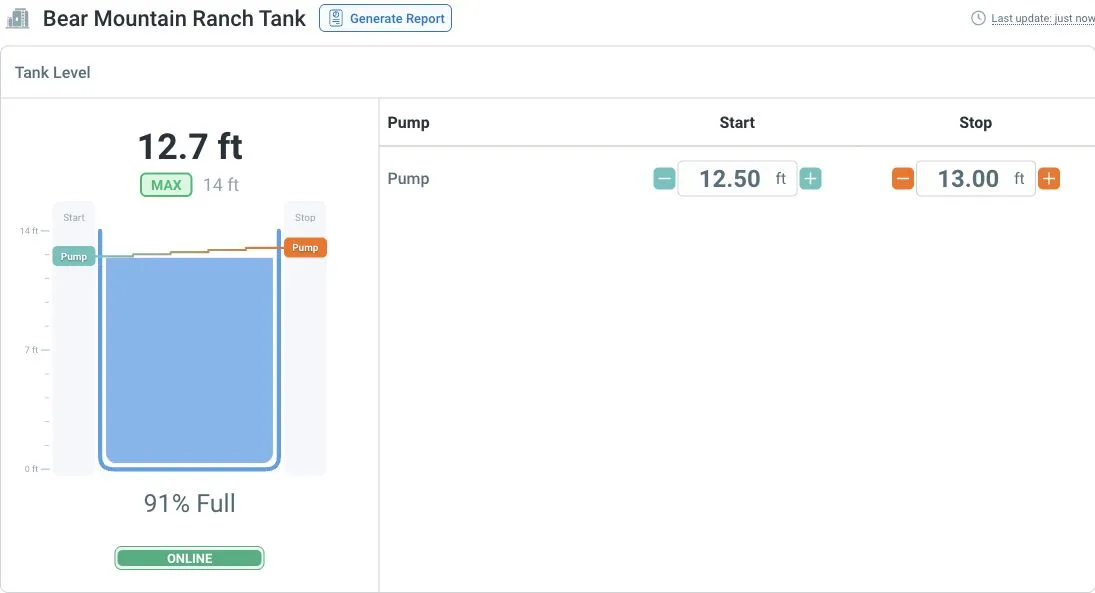
Level, status and pump start/stop thresholds in one device view.
View full screenshot : Tank details (opens in a new tab)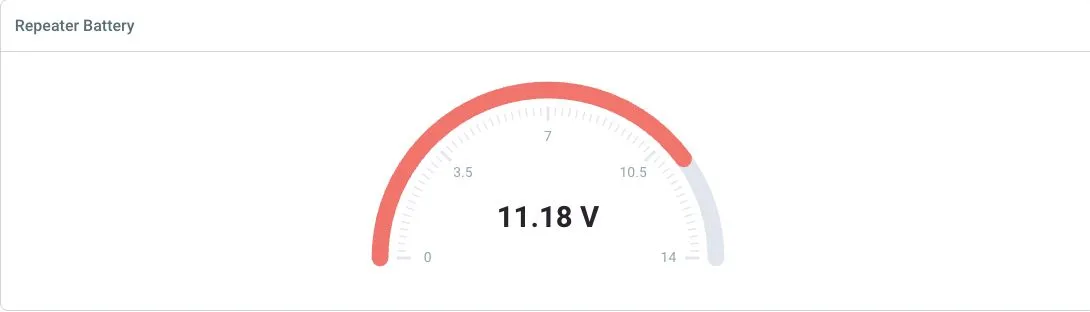
A dedicated gauge for repeater battery voltage.
View full screenshot : Drill into instrument readings (opens in a new tab)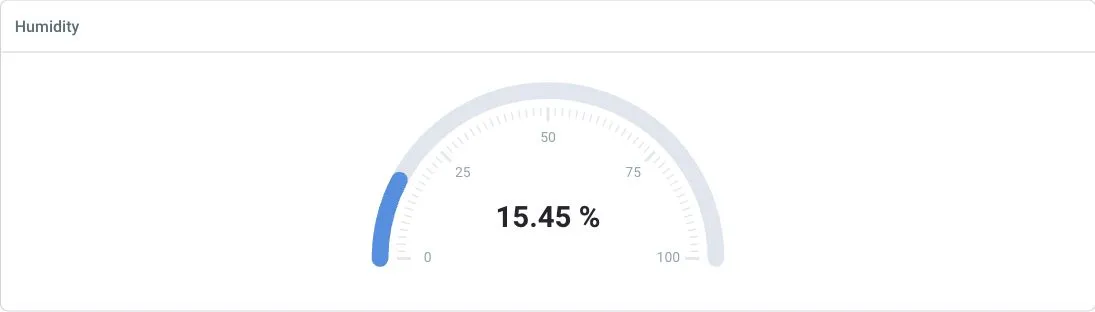
Humidity presented as an individual telemetry gauge.
View full screenshot : Understand site conditions (opens in a new tab)Actual app captures · Values shown at capture time
Alerts & Escalation
Know When Something Needs Your Attention.
Configure alerts around the conditions that matter most to your operation. Keep the right team members informed and investigate issues faster.
- Configurable Alerts
- Create alerts from configured telemetry, conditions and system events.
- Centralized Visibility
- See active alerts across sites and devices.
- Faster Investigation
- Move directly from an alert into related operating information.
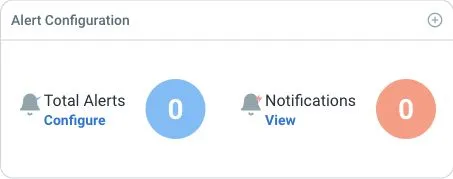
The alert configuration panel. This captured example shows zero alerts and notifications.
View full screenshot : Alerts and notifications (opens in a new tab)
Pump standby status with the Hand / Off / Auto indicator.
View full screenshot : Recognize equipment status (opens in a new tab)Actual app captures · Values shown at capture time
Controls & Operating Settings
Change Settings. Control Your Equipment.
WaterMind lets authorized users change settings and control supported devices directly from the platform. Move from understanding a condition to adjusting how your system operates.
- Thresholds & set points
- Adjust operating thresholds and set points for supported equipment.
- On/off controls
- Turn supported devices on or off directly from the platform.
- Back-flush controls
- Initiate a back-flush cycle on equipment configured for that command.
- Hand/Off/Auto controls
- Select Hand, Off or Auto modes on supported devices.
Available settings and controls depend on the connected device, its configured integration and the user’s permissions.
See Controls in a DemoTank details showing the pump start/stop thresholds in this captured example.
View full screenshot : Operating thresholds (opens in a new tab)A captured pump view showing Standby status and the Hand / Off / Auto indicator.
View full screenshot : Device state and mode (opens in a new tab)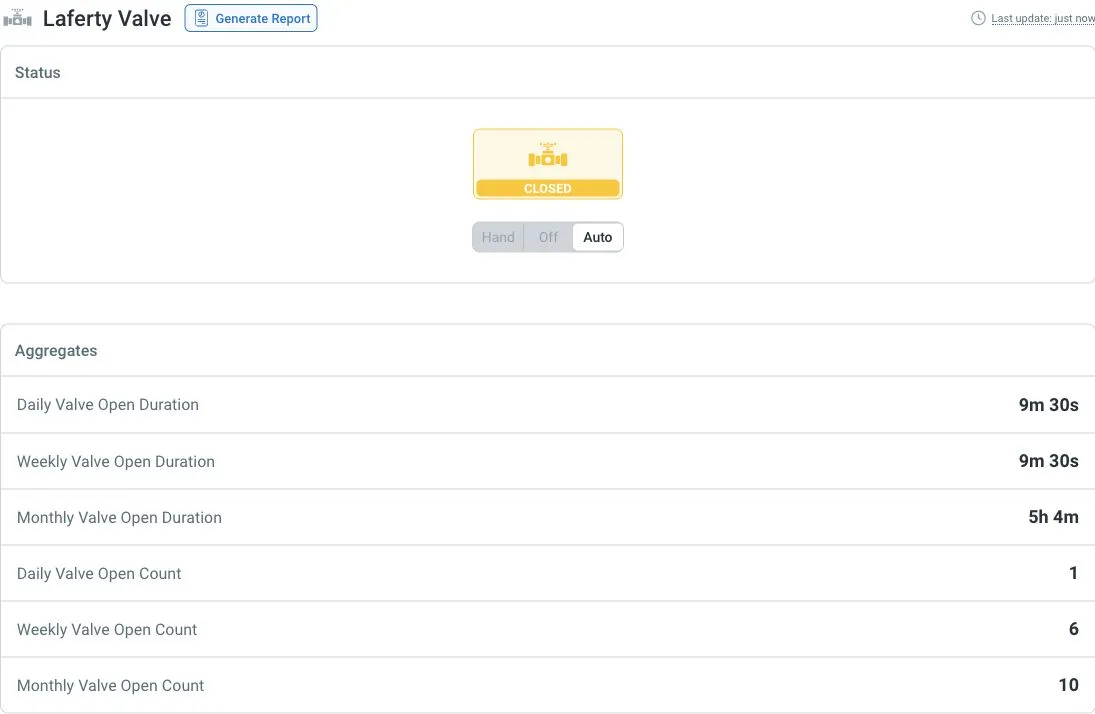
A captured valve view showing its Closed state, Auto mode and operating counters.
View full screenshot : Equipment details (opens in a new tab)Actual app captures · Values shown at capture time
Device & Fleet Management
Every Site. Every Device. One Place.
Organize connected locations and devices into a centralized environment, making it easy to see what’s connected, where it’s located and its current status.
- Location-based organization
- Device visibility
- Multi-site management
- Easy navigation between sites
- Fleet-wide system status
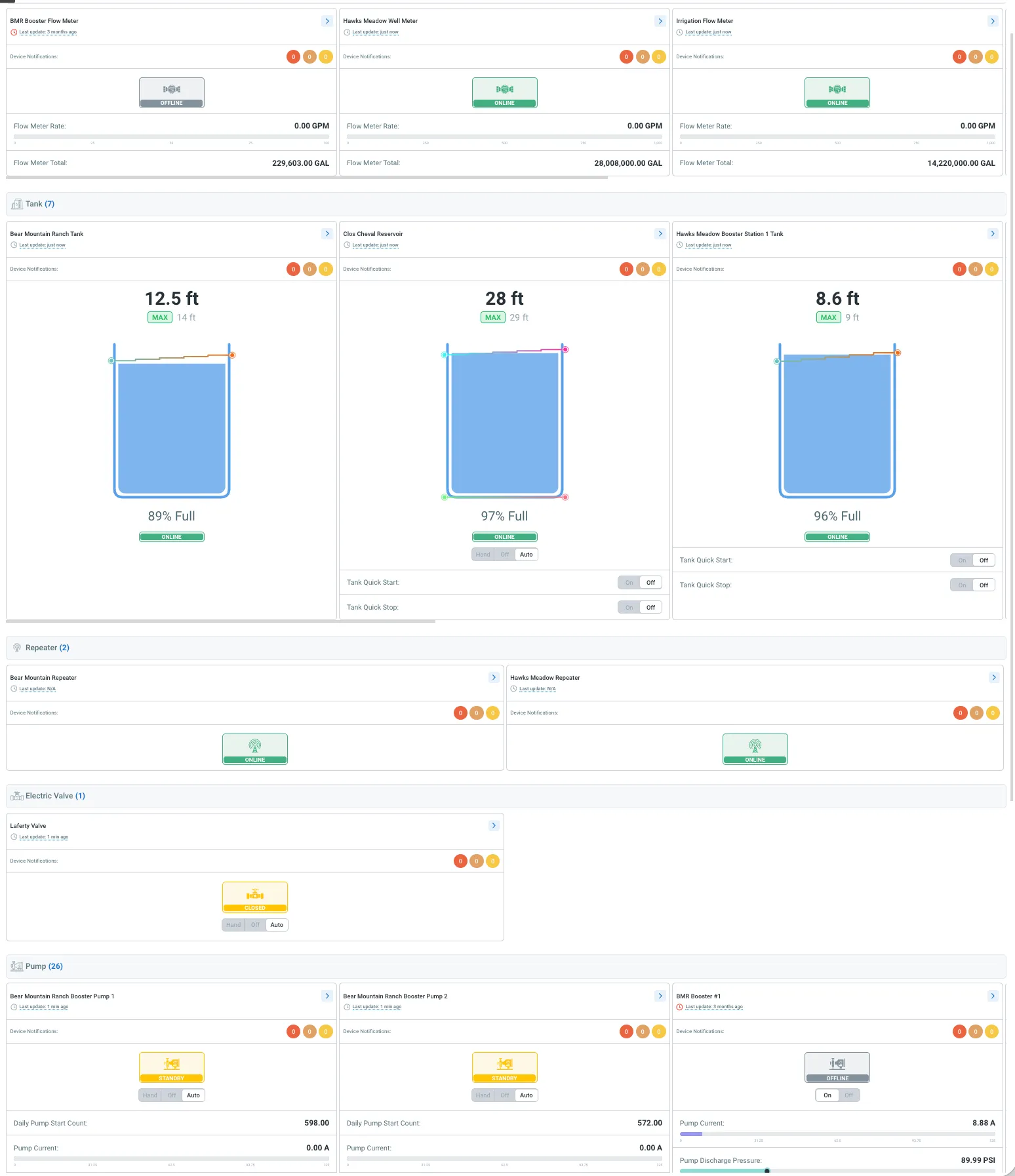
Flow meters, tanks, repeaters, a valve and pumps organized by device type in one location view.
View full screenshot : One location. Different device types. (opens in a new tab)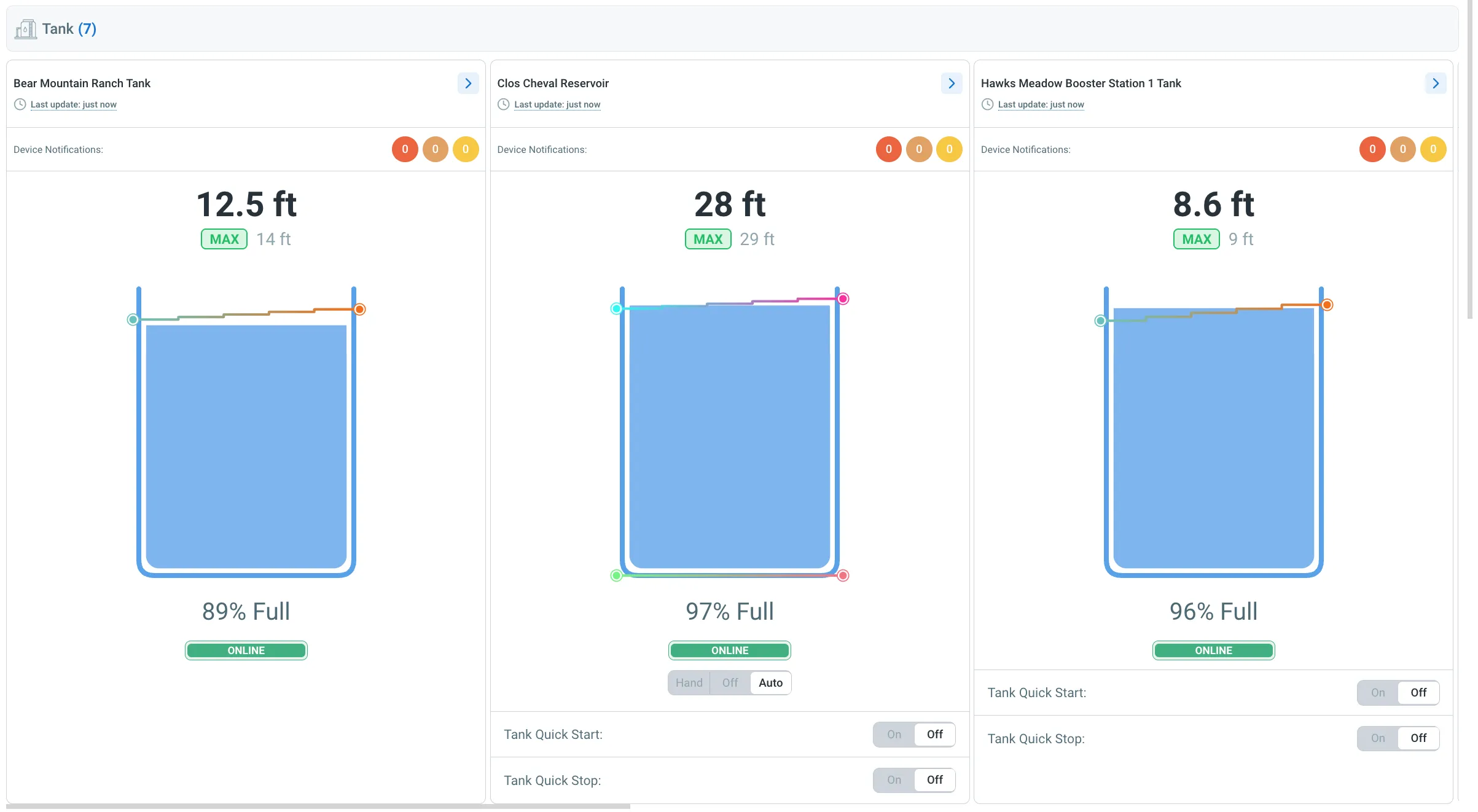
Tank levels, fill percentages, status and available mode indicators shown side by side.
View full screenshot : Compare tank status (opens in a new tab)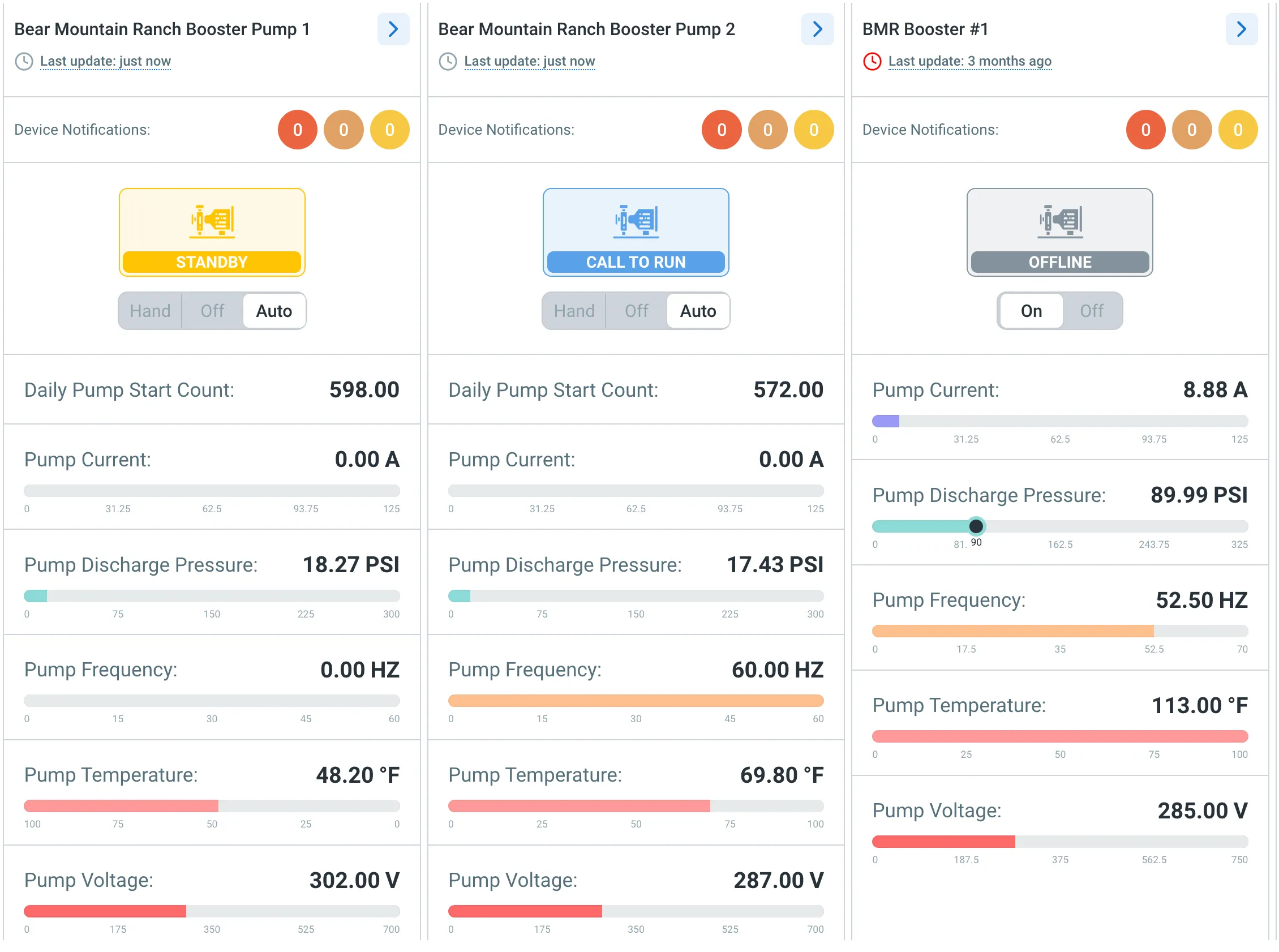
Standby, call-to-run and offline pump states alongside telemetry and mode indicators in this capture.
View full screenshot : Compare pump status (opens in a new tab)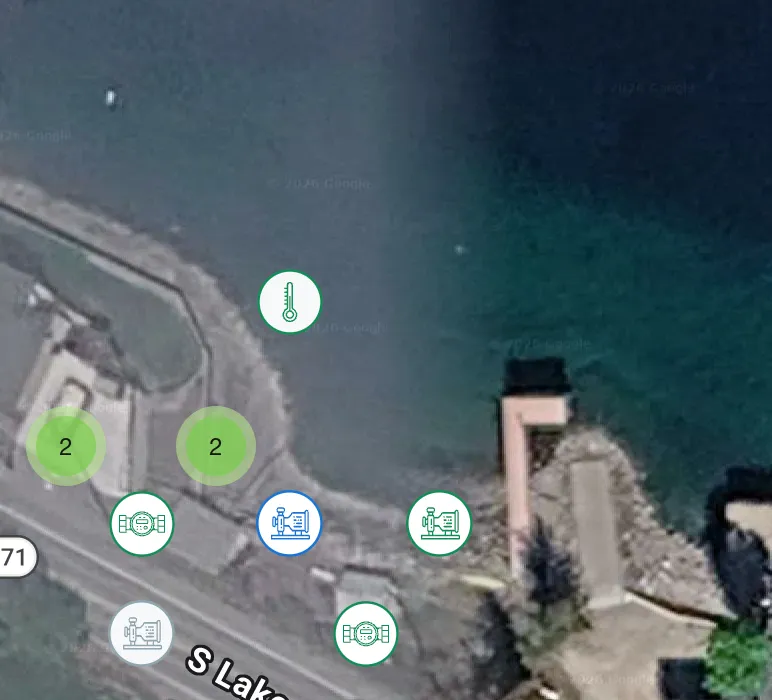
A map view groups device markers and shows equipment in its geographic context.
View full screenshot : Locate connected equipment (opens in a new tab)Actual app captures · Values shown at capture time
Reporting & Historical Data
Today’s Status Is Important. So Is What Happened Yesterday.
Review historical telemetry and reporting data to identify patterns, investigate events and make better-informed decisions.
- Historical Trends
- Review telemetry over time.
- Event Investigation
- Review the conditions surrounding an alert or operational event.
- Custom Reports
- Generate useful operational reports.
- Export Data
- Export information for further analysis or reporting.
As WaterMind expands into additional regions, regulatory reporting capabilities can be added to help customers meet local reporting requirements.
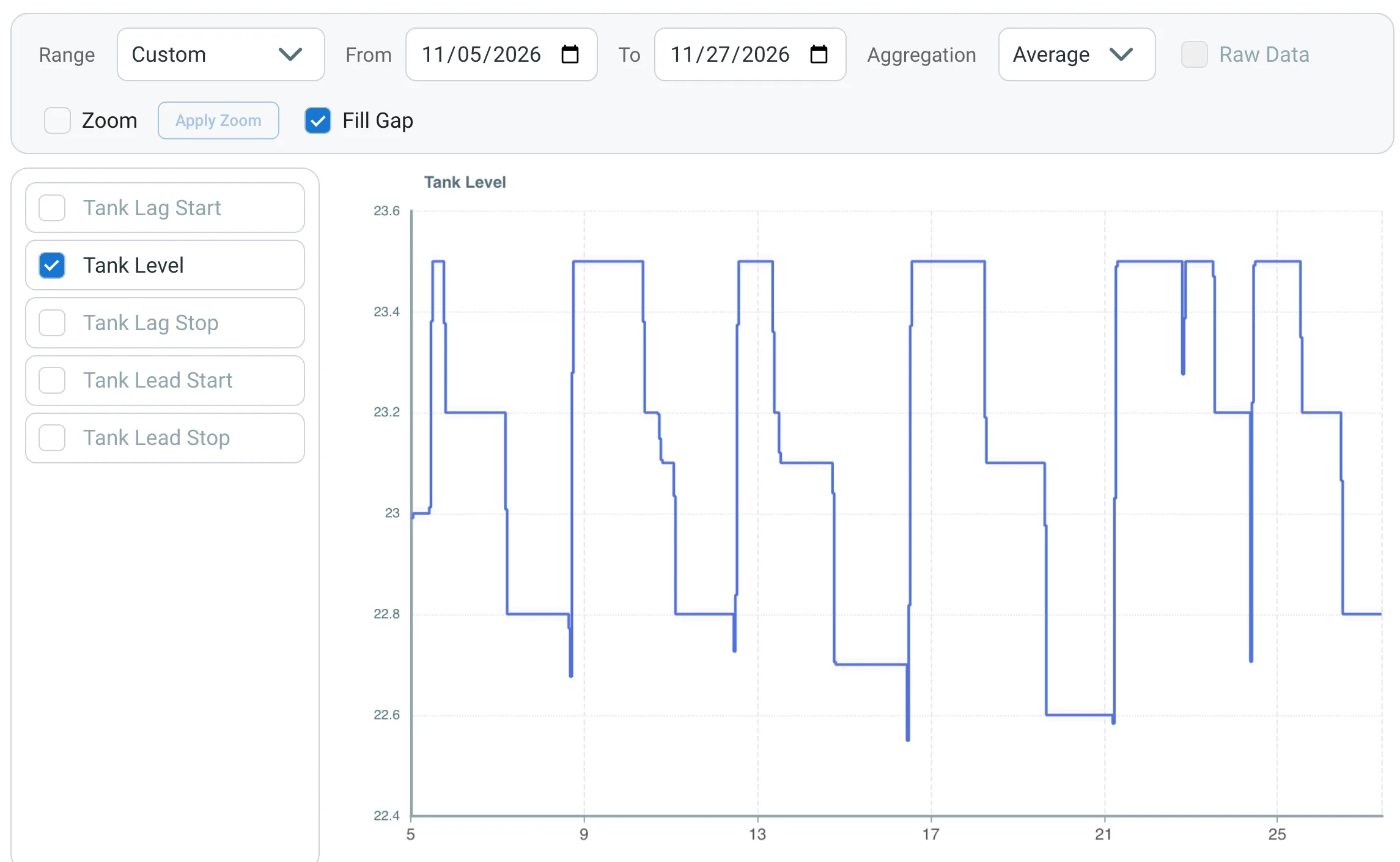
Historical tank level with a custom date range, average aggregation and series selection.
View full screenshot : Tank level over time (opens in a new tab)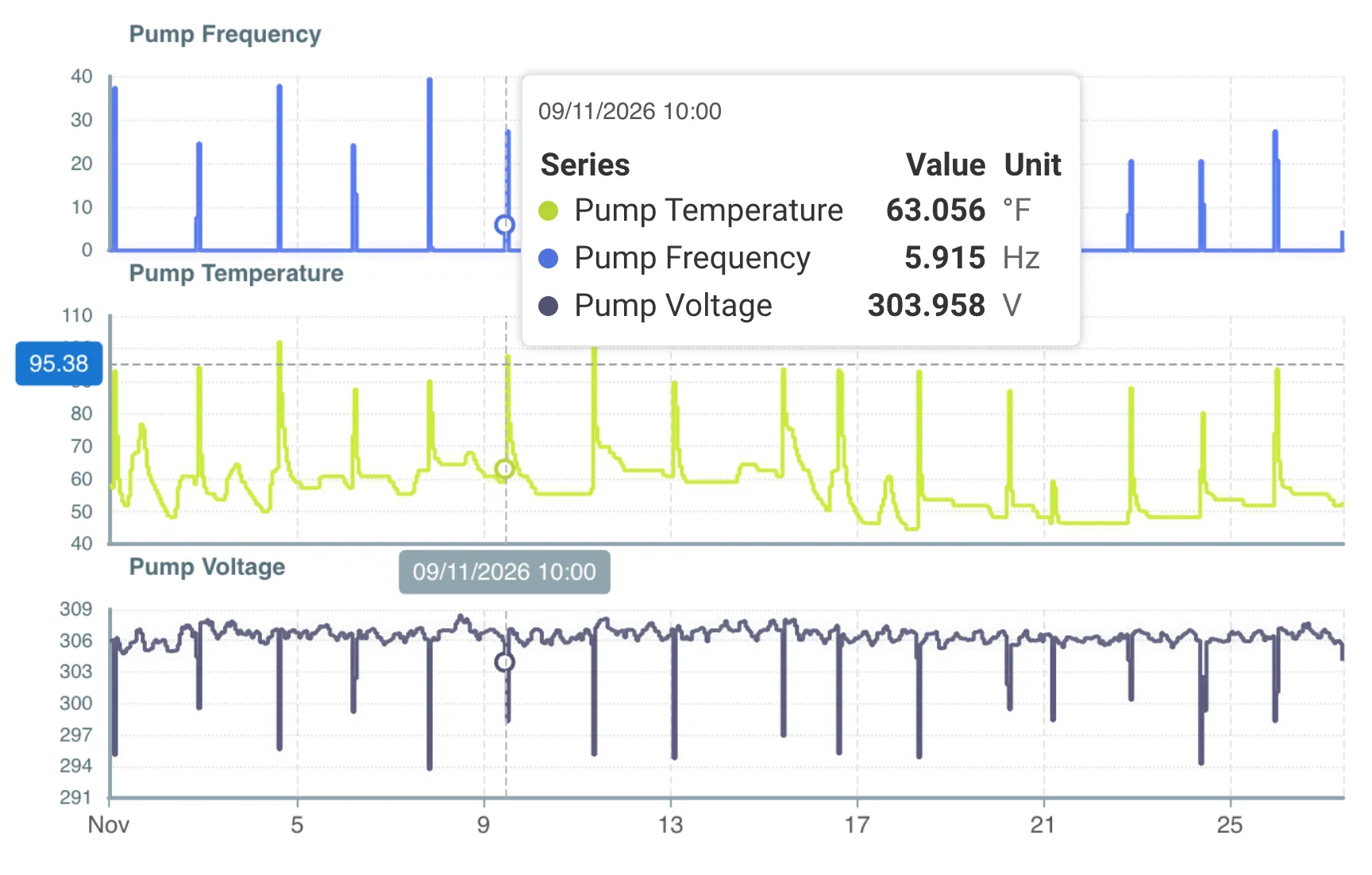
Frequency, temperature and voltage history with a timestamped tooltip across the series.
View full screenshot : Compare pump telemetry (opens in a new tab)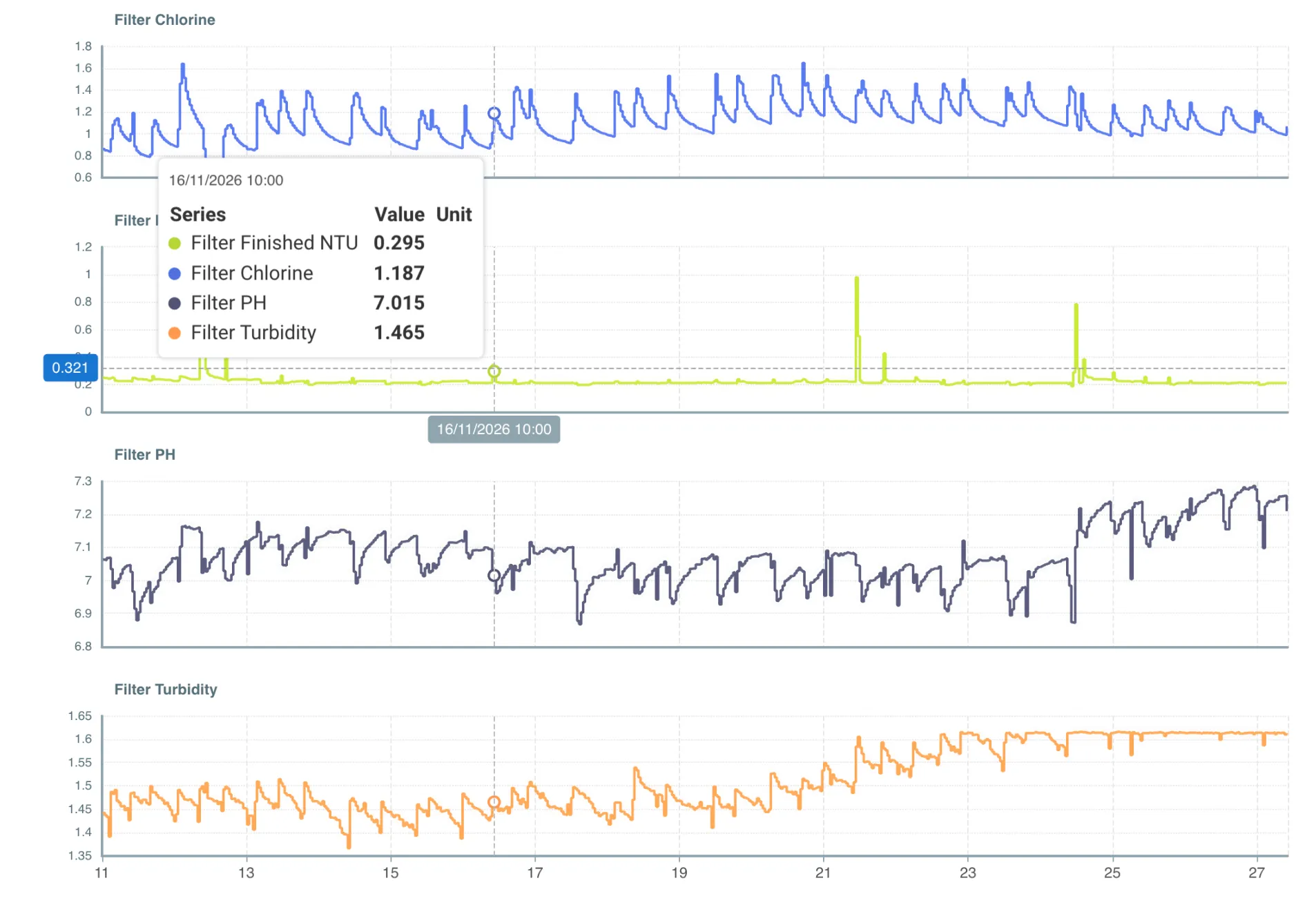
Chlorine, finished NTU, pH and turbidity charts shown together for investigation.
View full screenshot : Review water-quality trends (opens in a new tab)Actual app captures · Values shown at capture time
Mobile & Field Operations
Your System Doesn’t Live Behind a Desk.
Access critical information and supported controls from the field. Check system status, review data, investigate alerts and control connected equipment from your phone or tablet when authorized.
- Anywhere Access
- Review system information from the field.
- Field Investigation
- Review current and historical information while onsite.
- Remote Investigation
- Investigate issues before dispatching someone to the site.
- Remote Control
- Adjust supported settings or use on/off and Hand/Off/Auto controls from a mobile view when authorized.
Know more before you roll a truck.
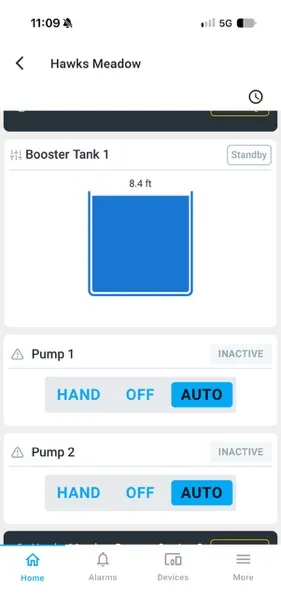
Tank level and pump mode indicators in the mobile location view.
View full screenshot : Your location on mobile (opens in a new tab)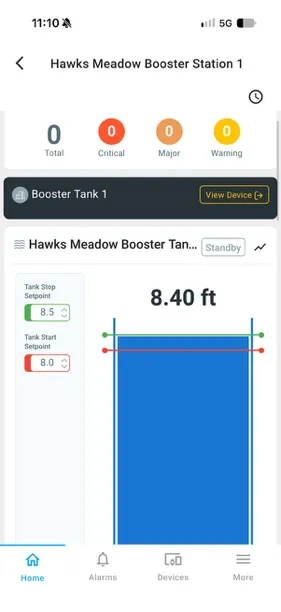
Tank level alongside start and stop setpoints in this captured mobile view.
View full screenshot : Tank level and setpoints (opens in a new tab)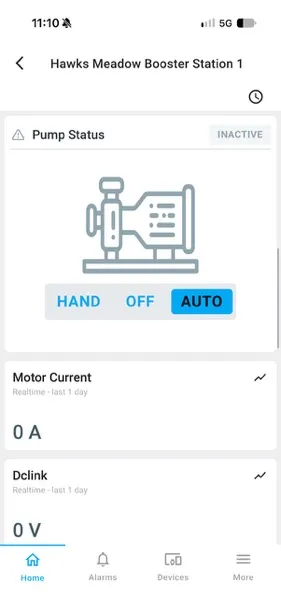
Pump state, Hand / Off / Auto mode and electrical readouts on mobile.
View full screenshot : Pump status and mode (opens in a new tab)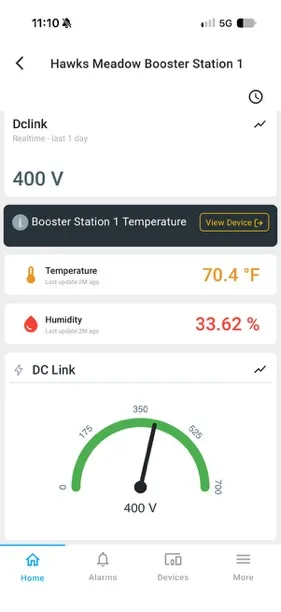
Temperature, humidity and a dedicated DC-link gauge. Readings reflect this capture.
View full screenshot : Site conditions and gauges (opens in a new tab)Actual app captures · Values shown at capture time
Security & Architecture
Connected Infrastructure Requires Security by Design.
WaterMind connects field equipment to a centralized platform using secure communications, controlled access and role-based permissions.
Request a Technical Review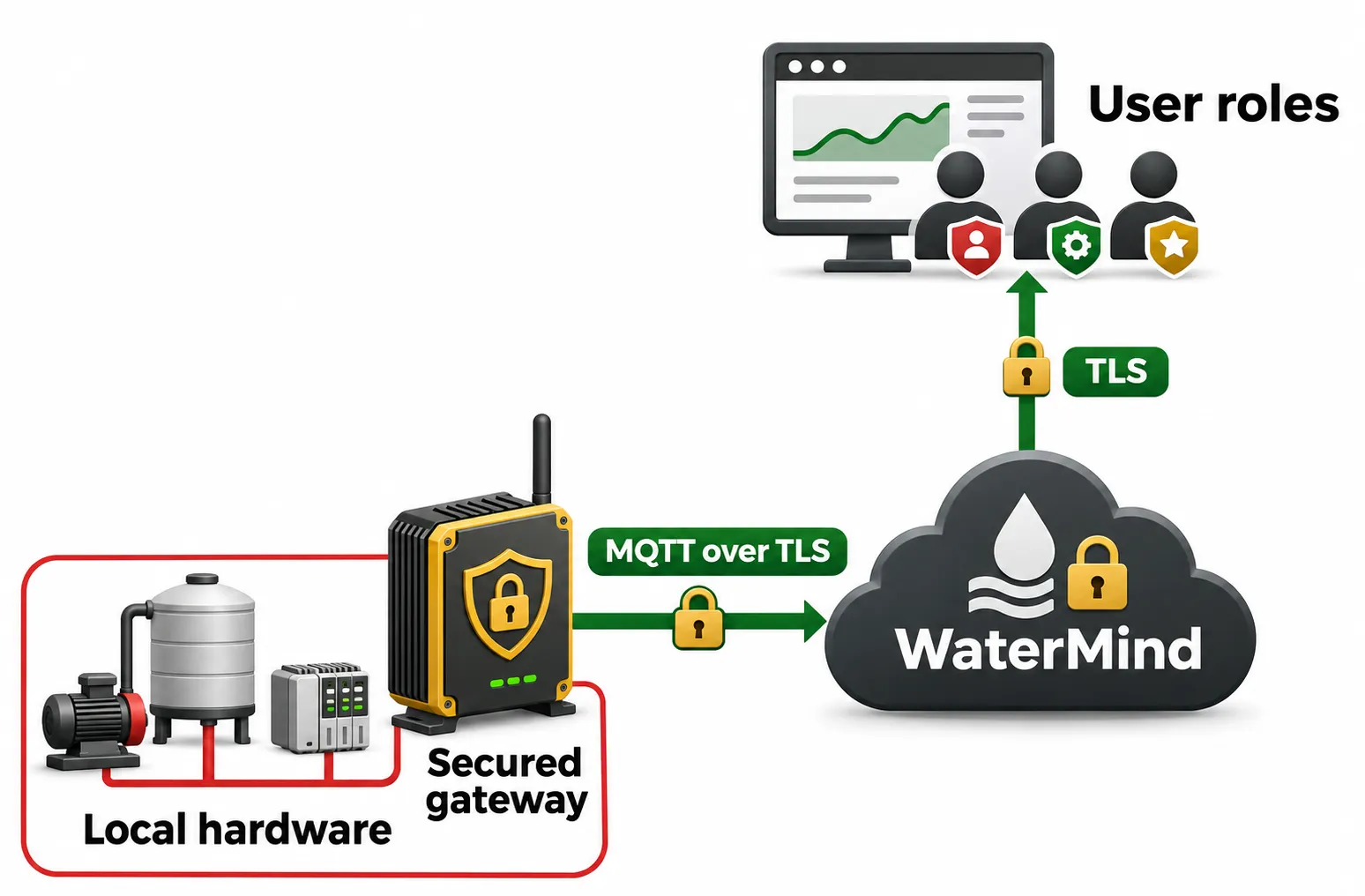
Field Equipment
Pumps, wells, tanks, controllers, sensors and instrumentation.
Gateway / Connectivity
Secure communication between field systems and WaterMind.
WaterMind Platform
Centralized cloud platform.
Authorized Users
Controlled access based on roles and permissions.
How WaterMind works
From Field Equipment to Actionable Information.
- 01
Connect
Connect supported equipment and instrumentation.
- 02
Collect
Information is securely sent to WaterMind.
- 03
Understand
Dashboards, alerts, historical data and reports turn telemetry into usable operational information.
- 04
Respond
Use authorized controls to change settings or operate supported equipment.
Supported infrastructure
One Platform. Different Systems.
WaterMind can provide visibility into connected infrastructure across a variety of water applications.
- Pumps
- Wells
- Tanks
- Booster stations
- Irrigation systems
- Controllers
- Sensors
- Instrumentation
More Visibility. Better Information. Faster Decisions.
- See More
- Know what’s happening across connected infrastructure.
- Investigate
- Understand conditions before dispatching someone to a site.
- Bring Information Together
- Consolidate operational information into one platform.
- Turn Data Into Decisions
- Use information to make better operational decisions.
Monitor. Respond. Protect.
Seeing WaterMind Is One Thing. Running It on Your System Is Another.
Experience WaterMind in a real operating environment using your own system, or schedule a demonstration to see how the platform could work for your organization.